DrySpool app icon DrySpool

Know which spools are dry.

A private, offline filament library for 3D-printing hobbyists. DrySpool predicts when each spool needs re-drying, dries it with the right settings, and labels your shelves with scannable QR codes.

Free for up to 12 spools · One-time Pro unlock · No subscription, no ads

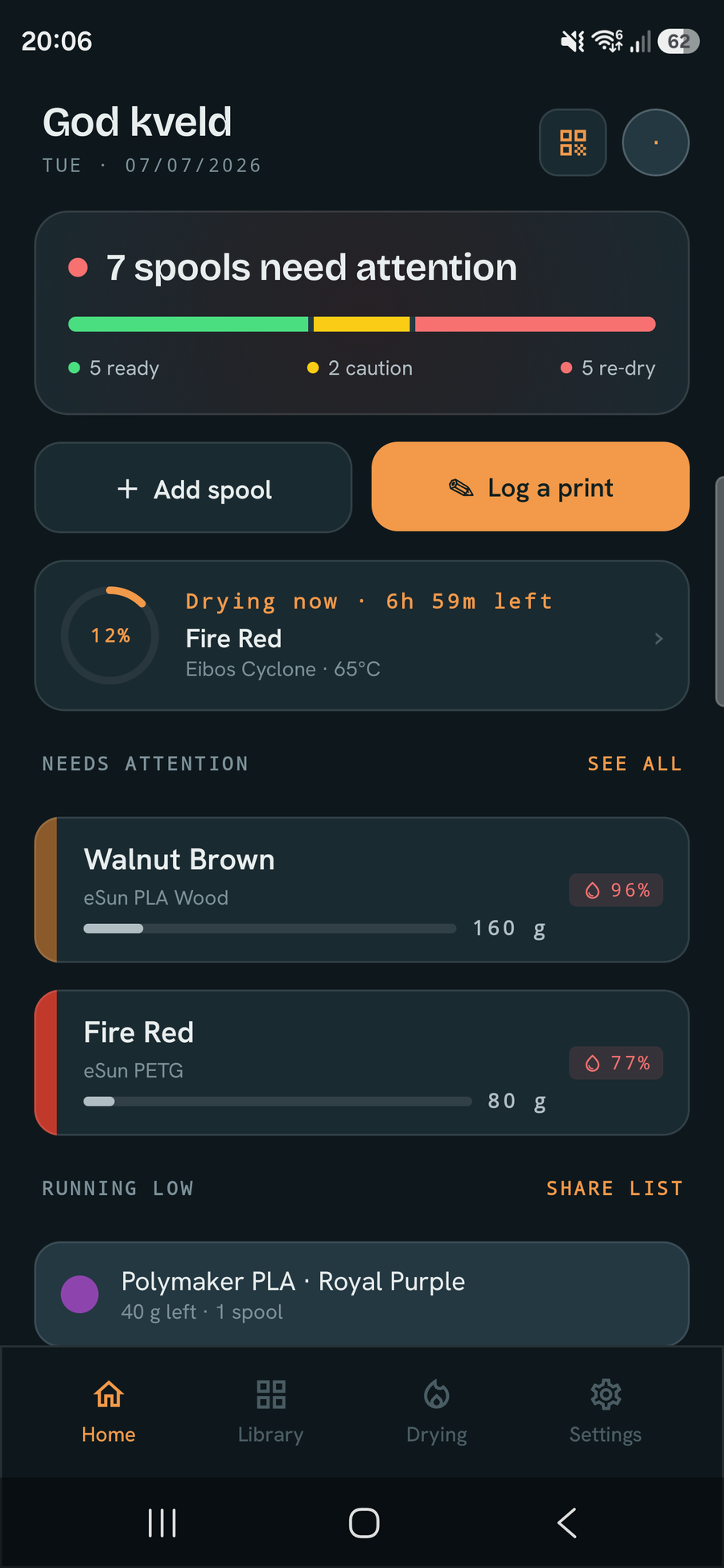
DrySpool home dashboard showing each spool's live moisture status, an active drying session and what needs attention
100% offline No account No ads, no tracking Backup to one file

Everything your filament shelf needs

Know which spools are dry

DrySpool models how each spool absorbs moisture — by material, storage (sealed, open shelf, AMS) and your ambient humidity — and shows a live indicator so you see what's ready to print at a glance.
Dry with the right settings

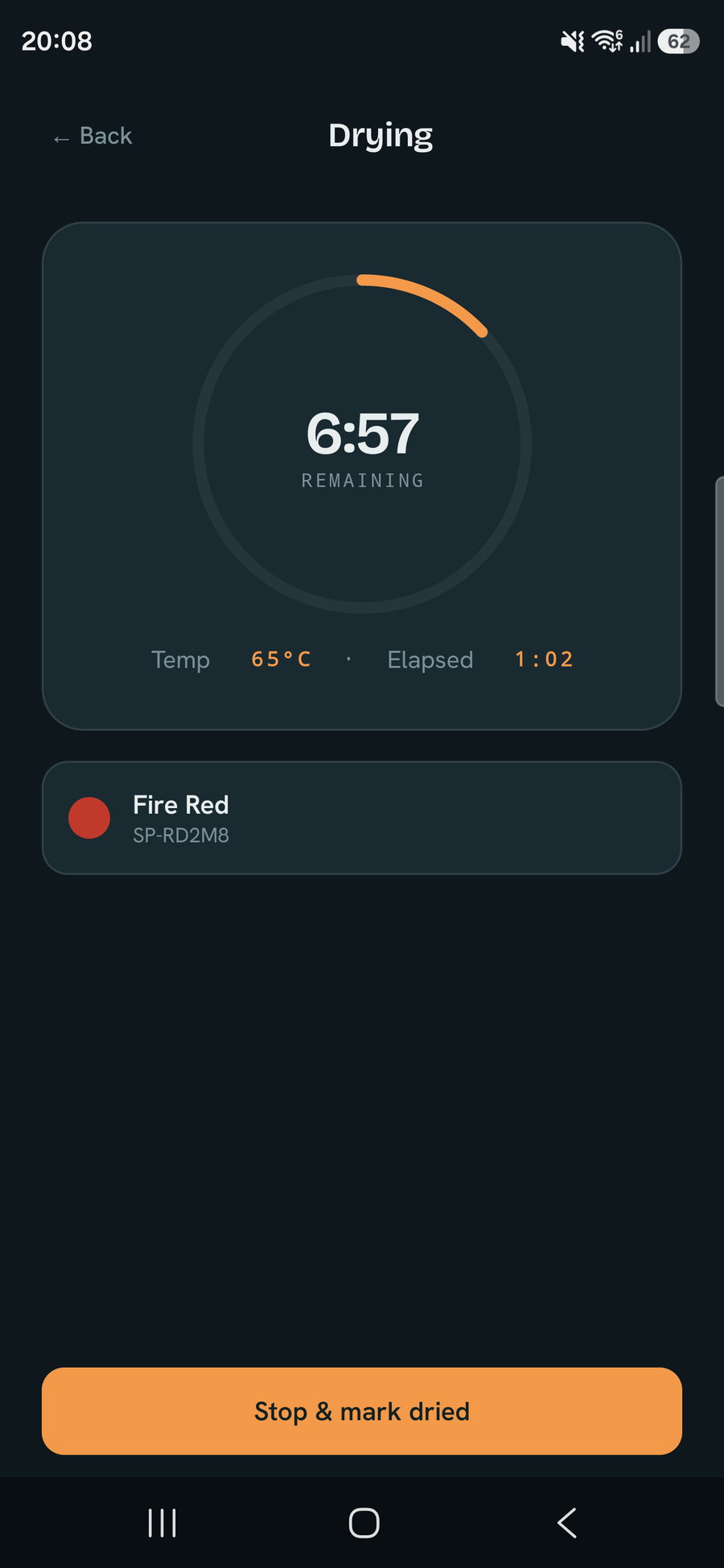
Each material ships with research-backed drying temperatures and times. Start a session, track it to completion, and the spool's moisture resets when it's done.

Scan & label everything

Generate QR labels for spools and locations — one at a time or 24-to-a-page on A4. The scanner jumps straight to a spool, or moves a whole batch to a new location in a single scan.

Tap-to-fill from Bambu RFID

Tap a Bambu Lab spool to your phone and DrySpool reads the tag to pre-fill material, colour, weight and recommended drying temperatures — decoded entirely on-device. Adding a lot at once? Pro's bulk mode adds a whole batch, tap after tap.

Import from your slicer

Drop in a sliced .gcode or .3mf and DrySpool subtracts the filament used — including multi-colour prints — from the right spools automatically.

See how fast you burn through filament

Every logged print builds a usage history, so DrySpool estimates how many days of filament you have left — a “runs out in ~N days” forecast on Home and on the widget. Pro adds deeper Insights: filament used and spend over time, and by material.

Organise your workshop

Inventory with photos, weight, cost and notes. Tag spools and add your own custom fields, then filter the library by tag. Storage locations (AMS, dryer slots, shelves), per-printer print profiles, and your own materials, brands and dryers.

At a glance on your home screen

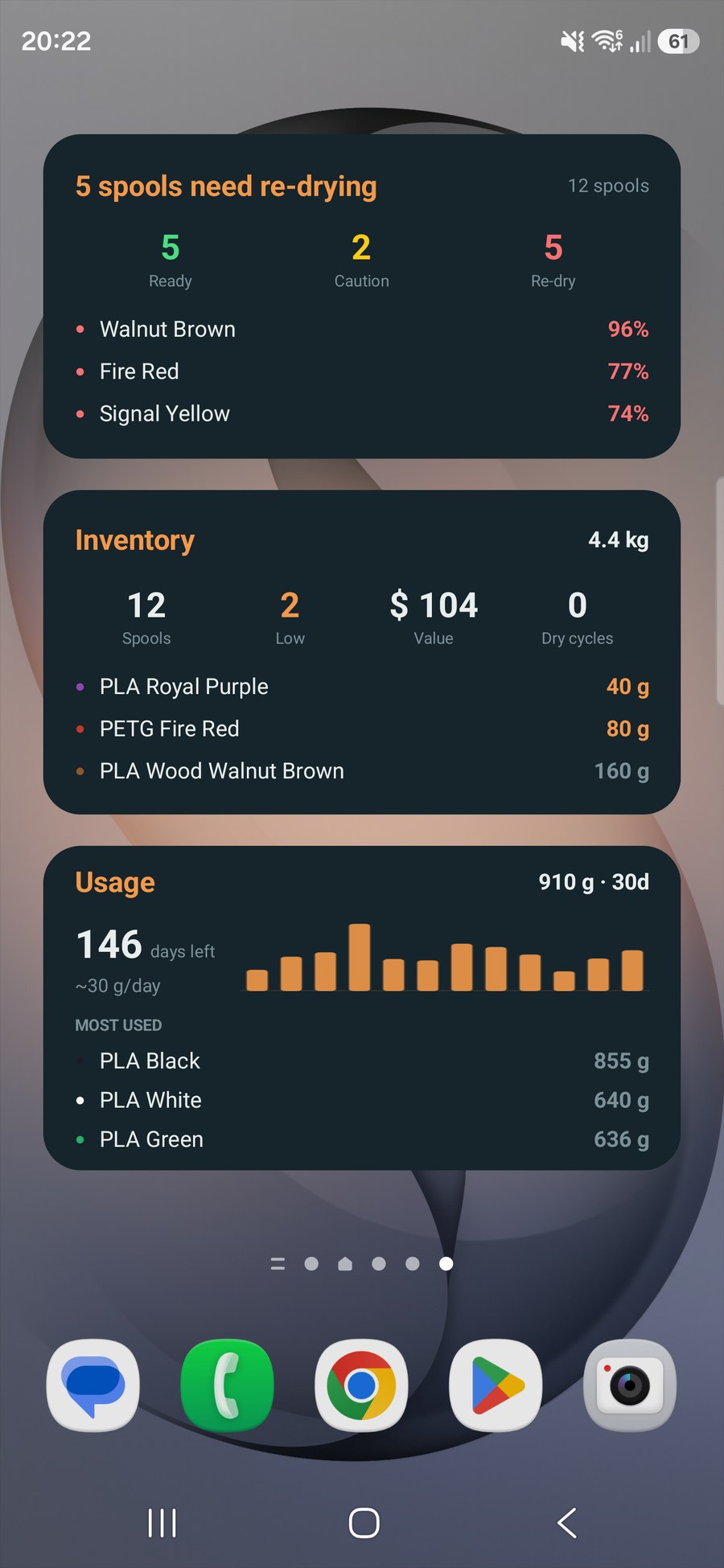
Three free home-screen widgets: a moisture summary (how many spools are ready, need watching or need re-drying, plus the wettest few by name), an inventory widget (spool count, low-stock and the filaments closest to running out), and a usage widget (your recent print rate and roughly how many days of filament you have left) — so you spot trouble without opening the app.

Make it yours

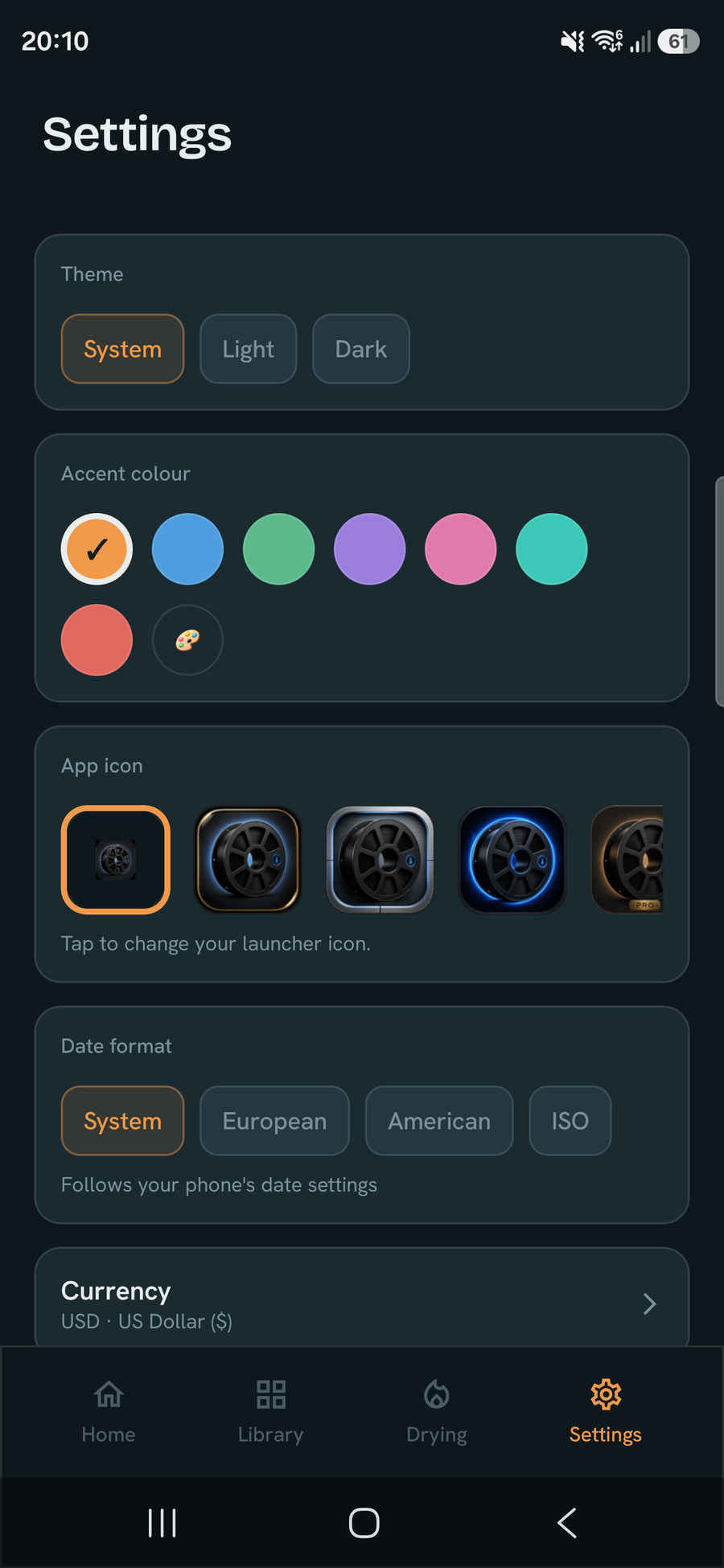
Pick a theme and an accent colour, and choose an alternate app icon to match your setup — a few free, the rest with Pro.

Label your whole workshop

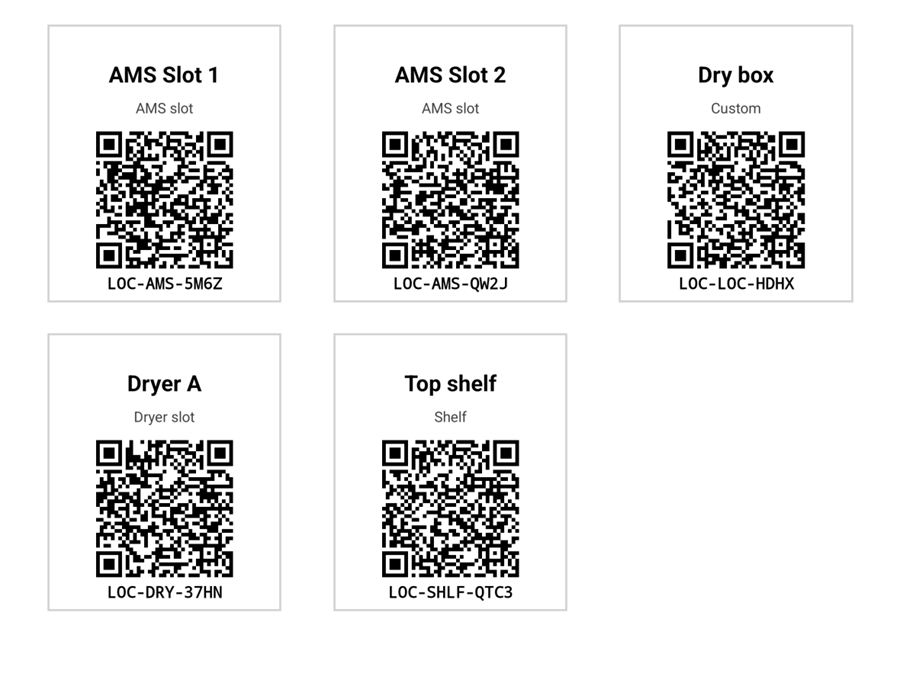
Print a QR for every spool and storage spot — one at a time or 24-to-a-page on A4. Round tags for spools, signs for AMS slots, dryers and shelves. Scan any of them (in-app, or with any camera) to jump straight there. Sizes are free; with Pro, build your own template — add custom text, pick which fields show, and choose the font, accent and background colour.
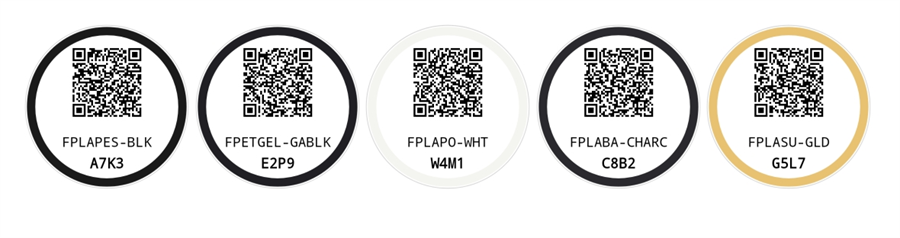
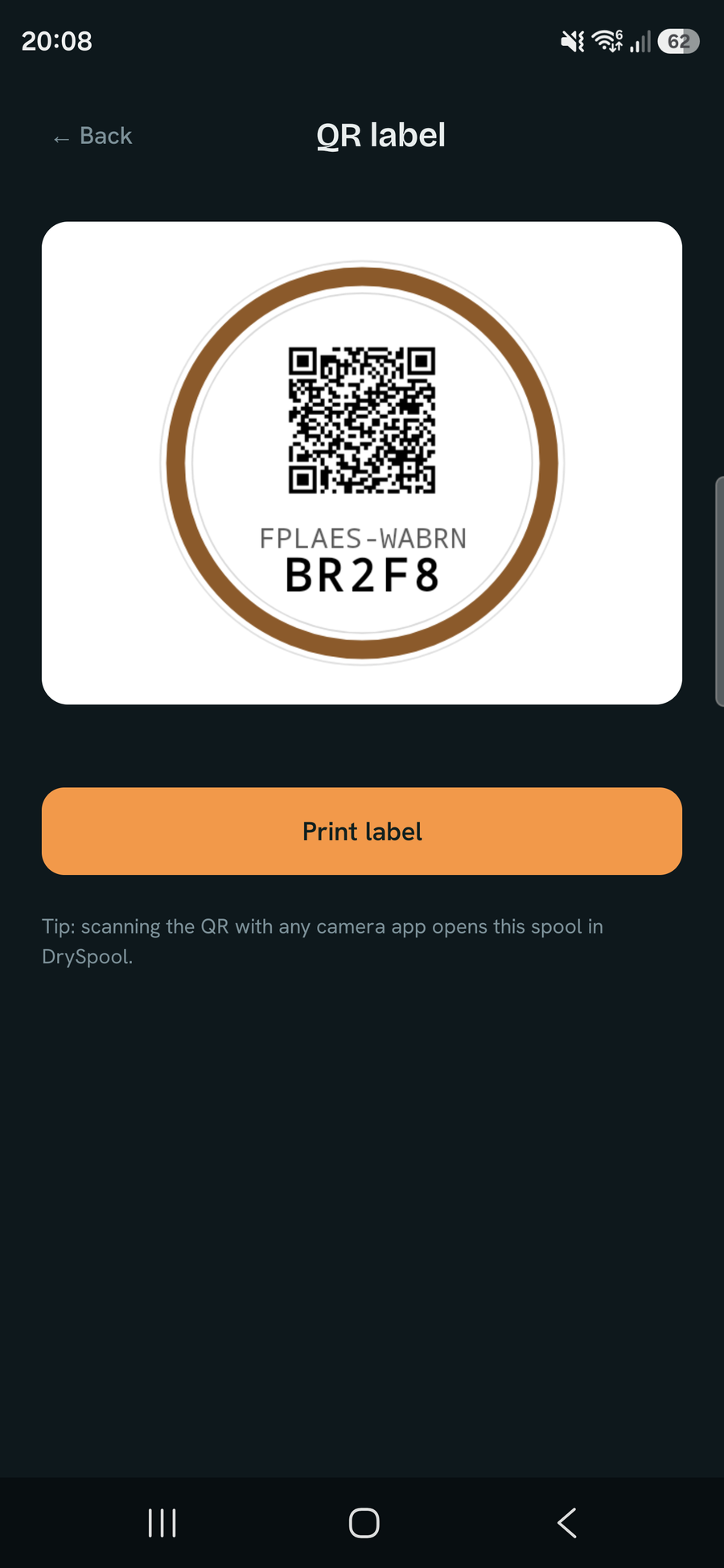
A row of round QR spool tags, each with a colour-matched ring and short code
Round tags — one per spool, ringed in its colour
A grid of square QR location signs: AMS slots, dry box, dryer and shelf
Signs for every spot — AMS slots, dryers, shelves

A look inside

DrySpool home dashboard: ready/caution/re-dry status spread, an active drying session and spools needing attention
Status & drying overview
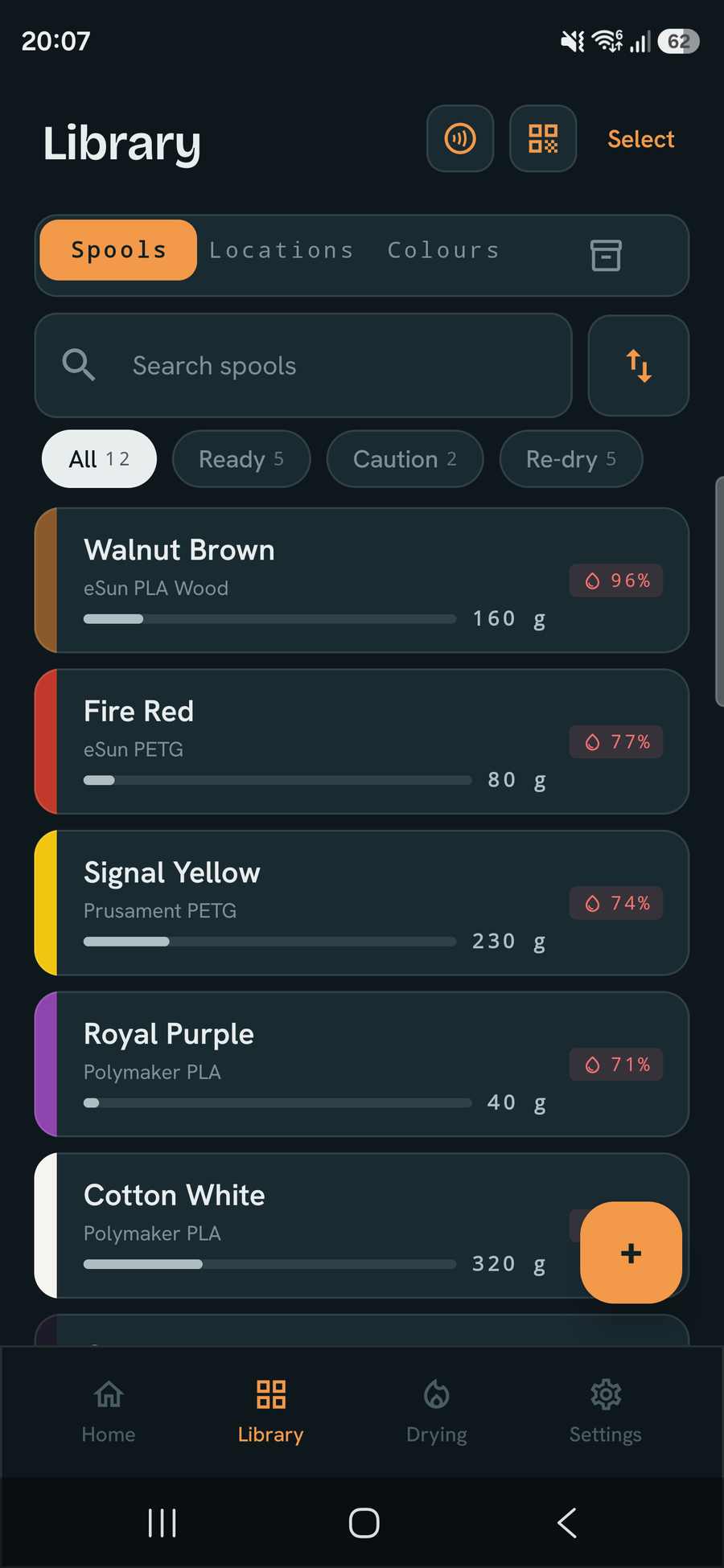
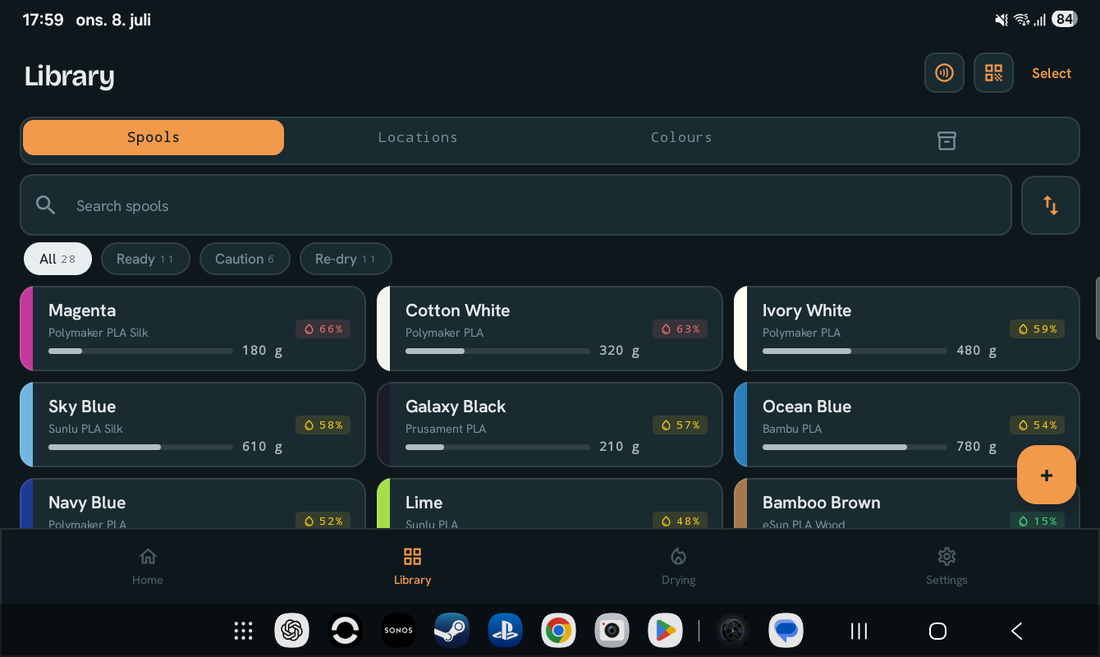
Filament library list with moisture indicators
Your full library
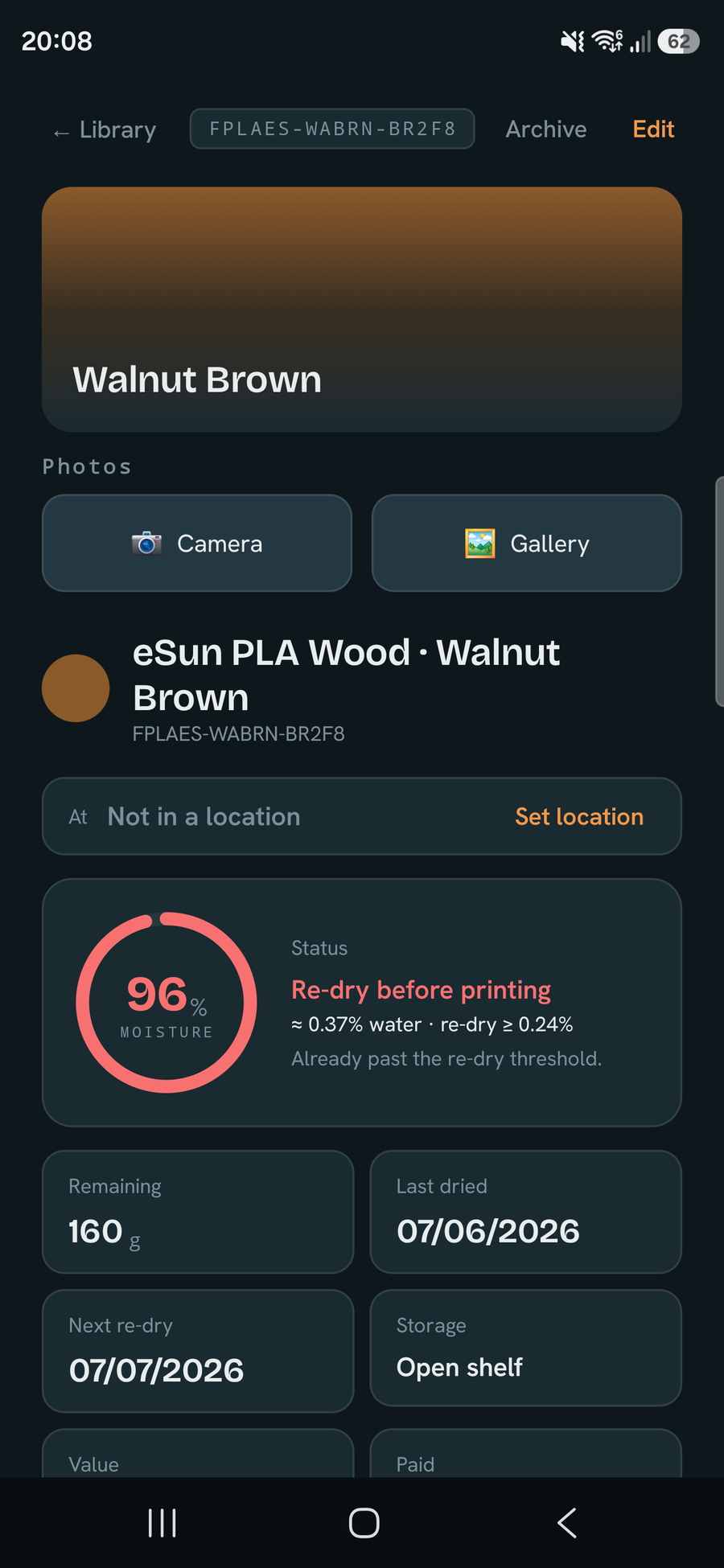
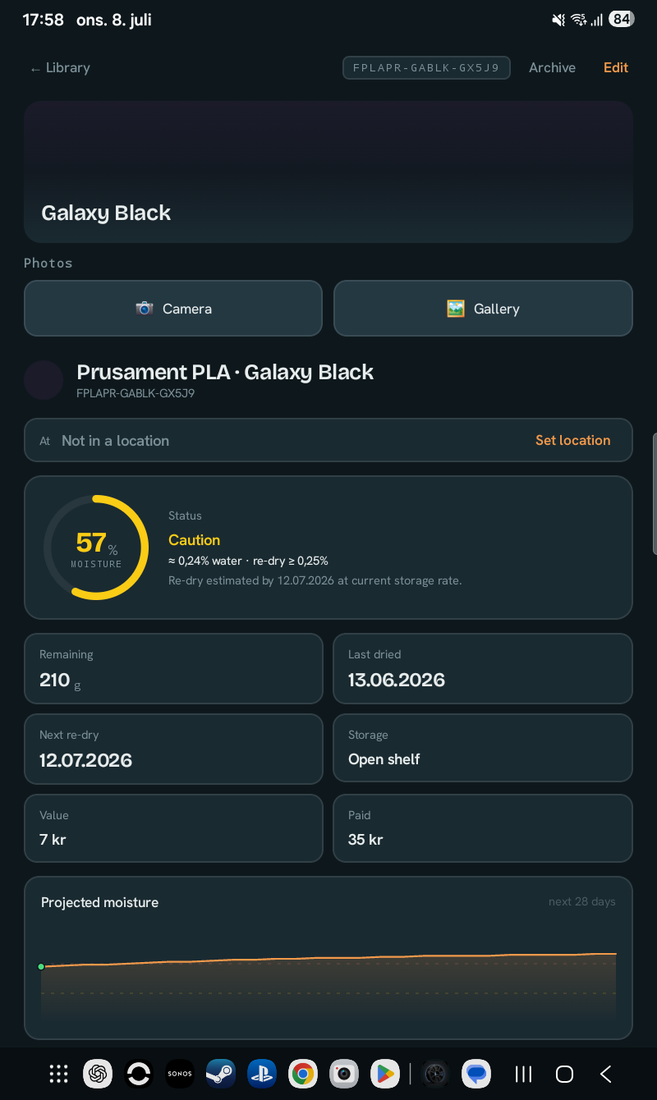
Spool detail with re-dry estimate
Spool detail & re-dry
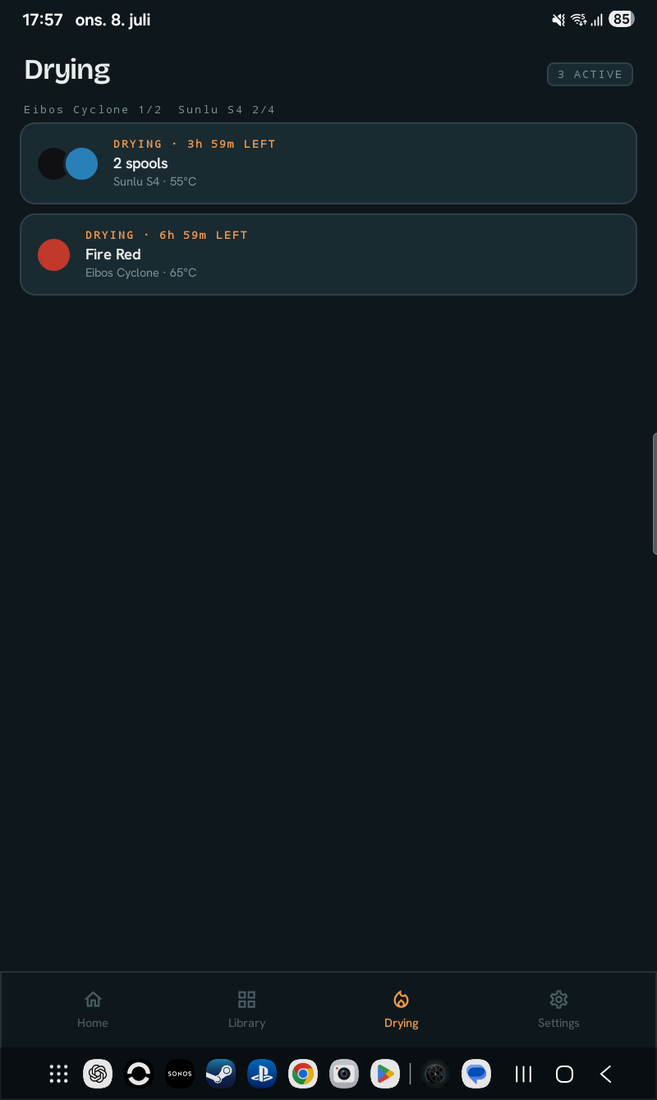
Active drying session timer
Drying session timer
Printable QR labels for spools and locations
Printable QR labels
Settings: manage materials, set ambient humidity, theme and date format
Tune materials, humidity & theme
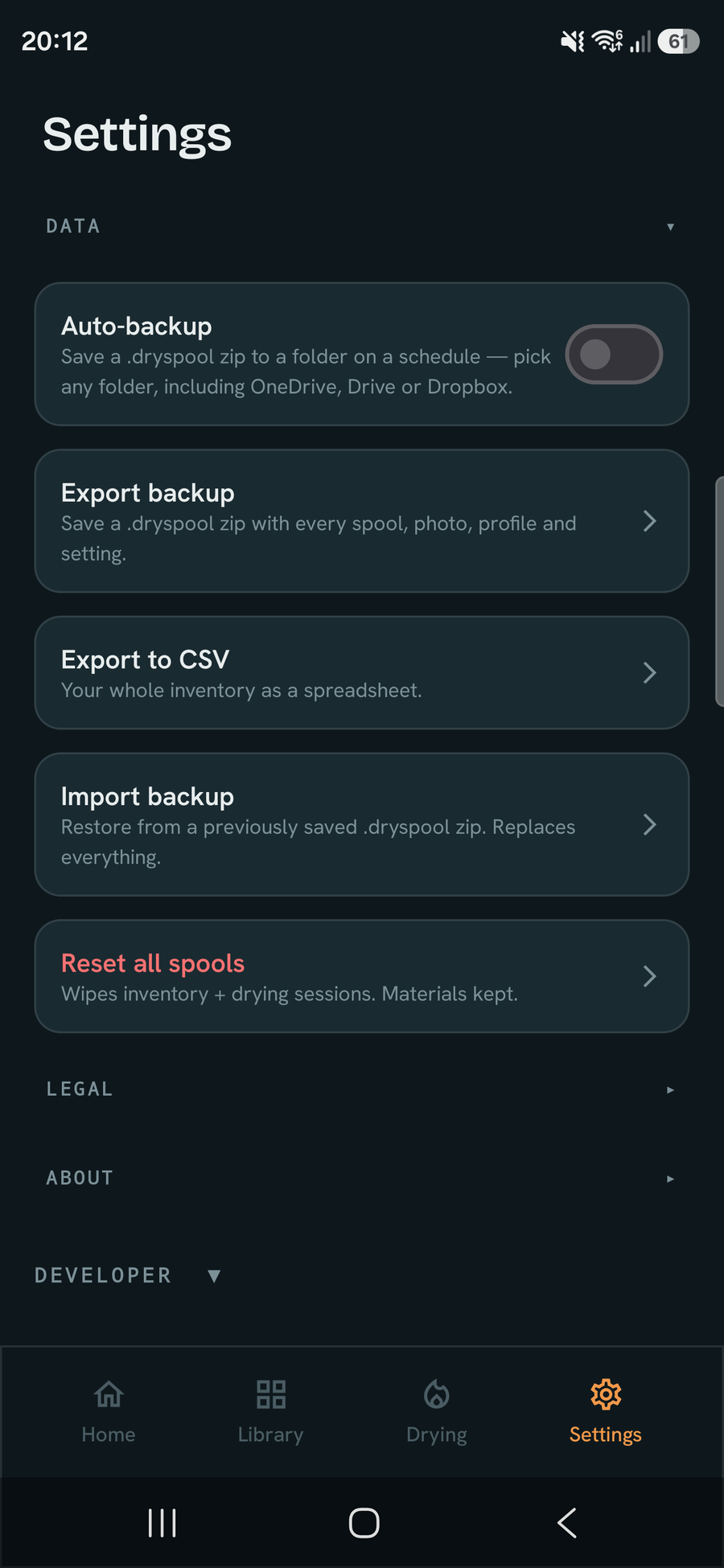
Data settings: automatic backup to a folder you choose, export a .dryspool backup, export to CSV, import backup, reset
Auto-backup, CSV export & restore
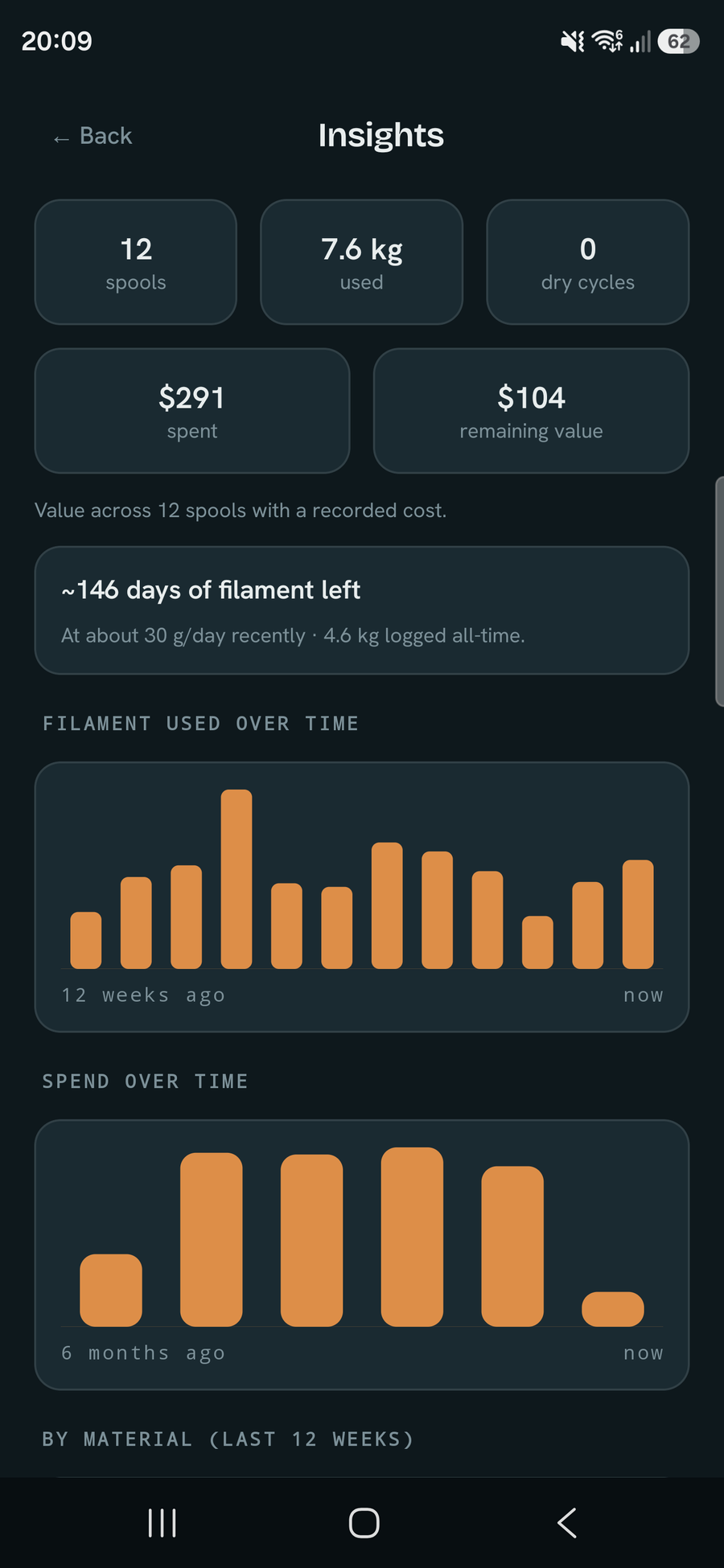
Insights dashboard: filament used and spend over time, a days-of-filament-left forecast, and most-used colours
Insights: usage, spend & forecast
Display settings: theme, accent colours, alternate app icons, date format and a currency picker
Themes, icons & currency
Three home-screen widgets: a moisture summary, an inventory widget, and a usage widget showing days of filament left
Three home-screen widgets
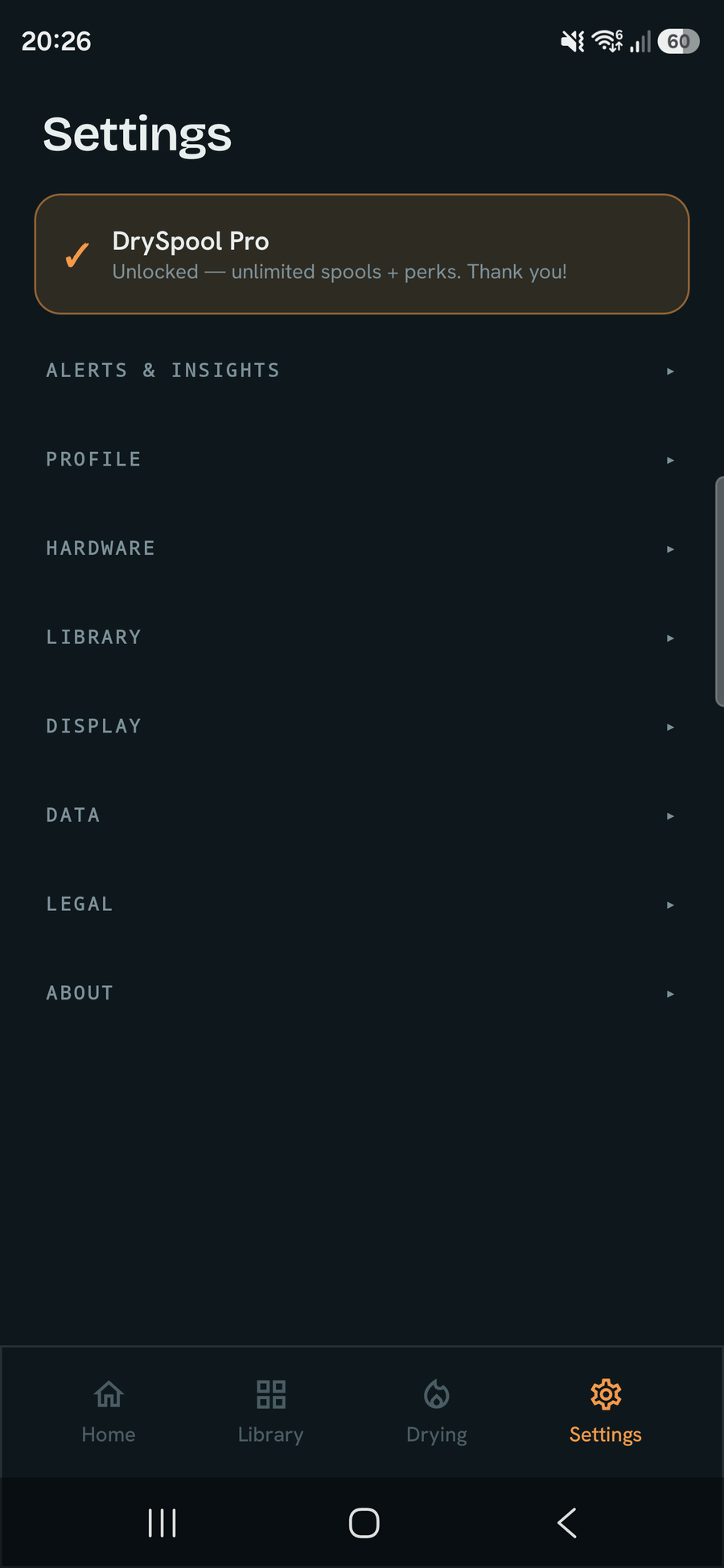
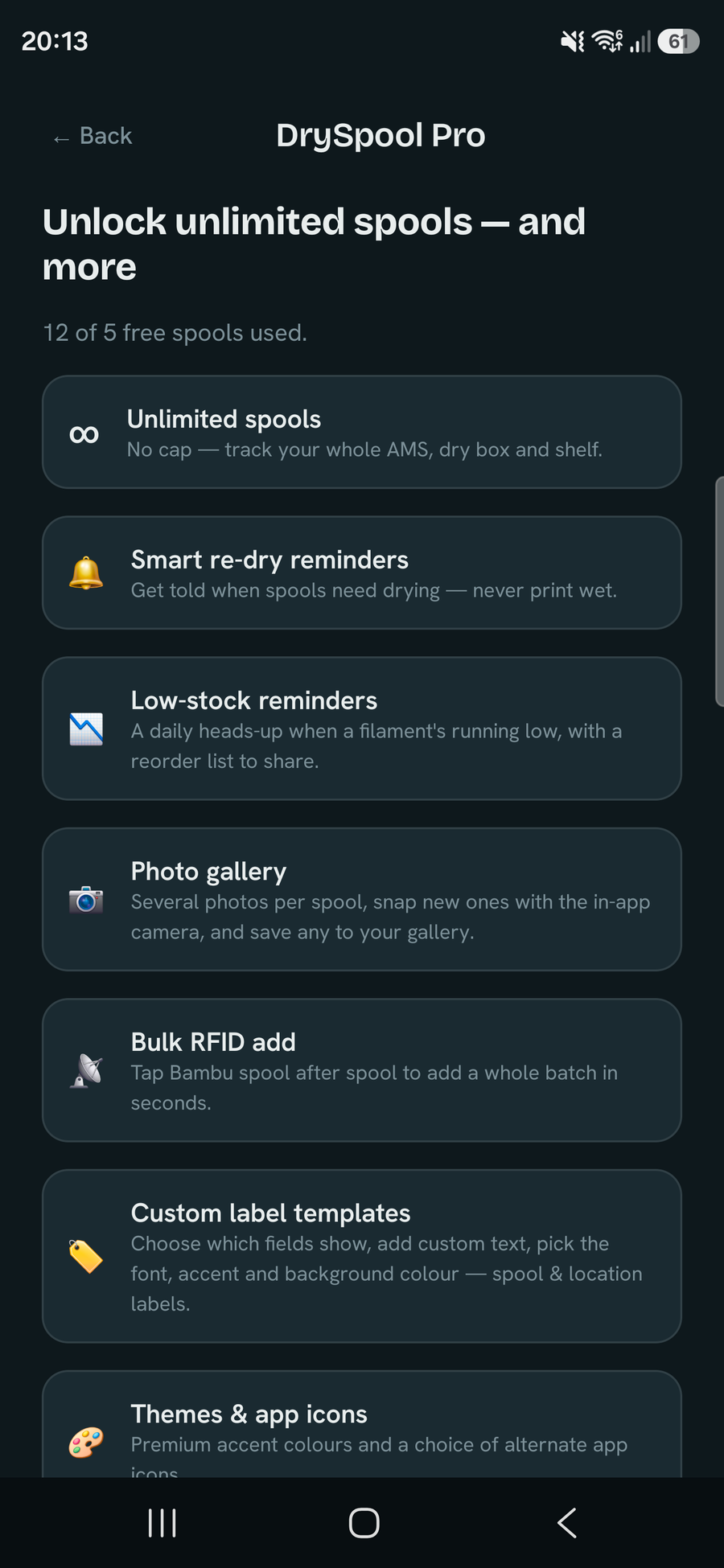
Settings screen showing Pro unlock
One-time Pro unlock
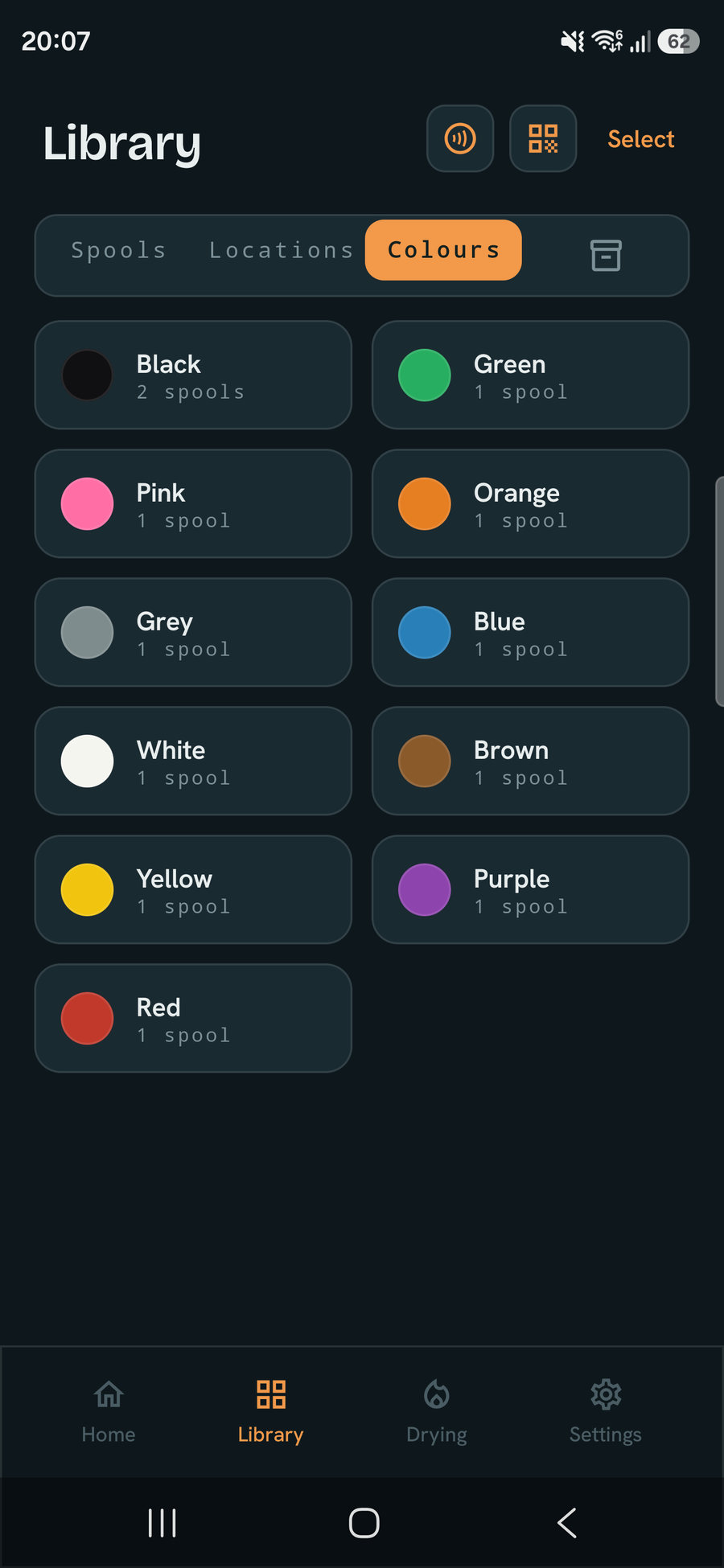
Library browsed by colour family: black, green, pink, orange, grey, blue, white, brown, yellow, purple and red, each with a spool count
Browse by colour
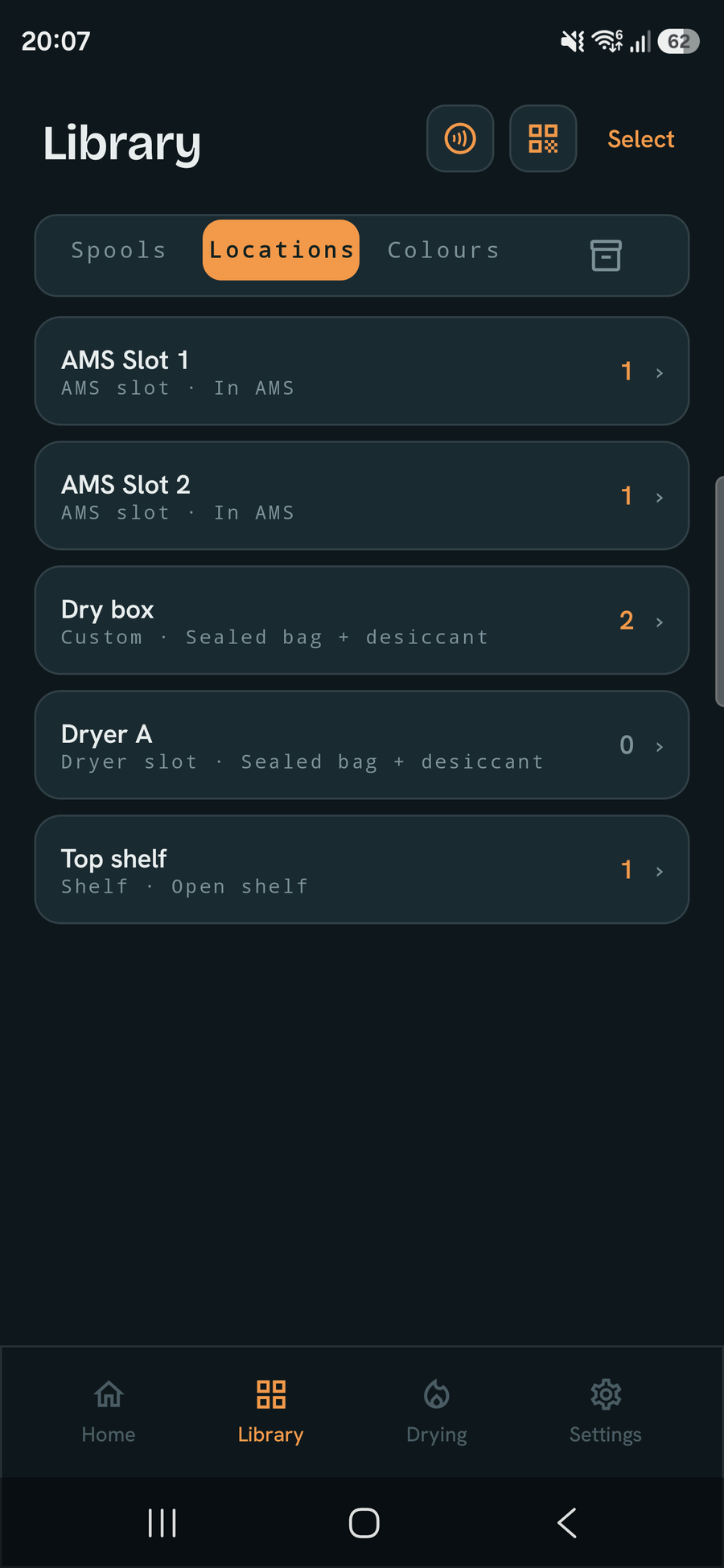
Library browsed by location: AMS slots, dry box, dryer and shelf, each with a spool count
Browse by location
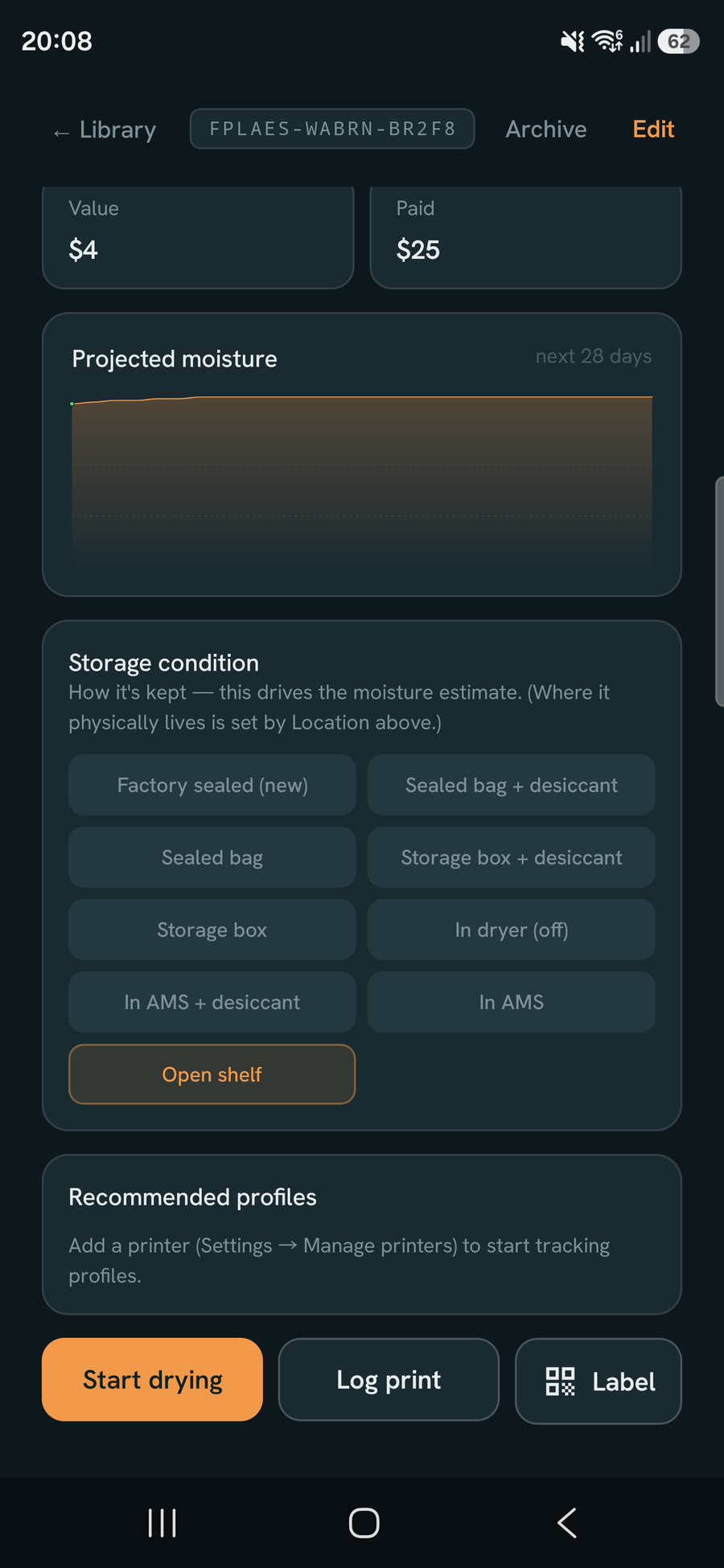
Spool detail lower half: projected moisture curve over the next 28 days and the storage-condition picker
Storage condition & moisture curve
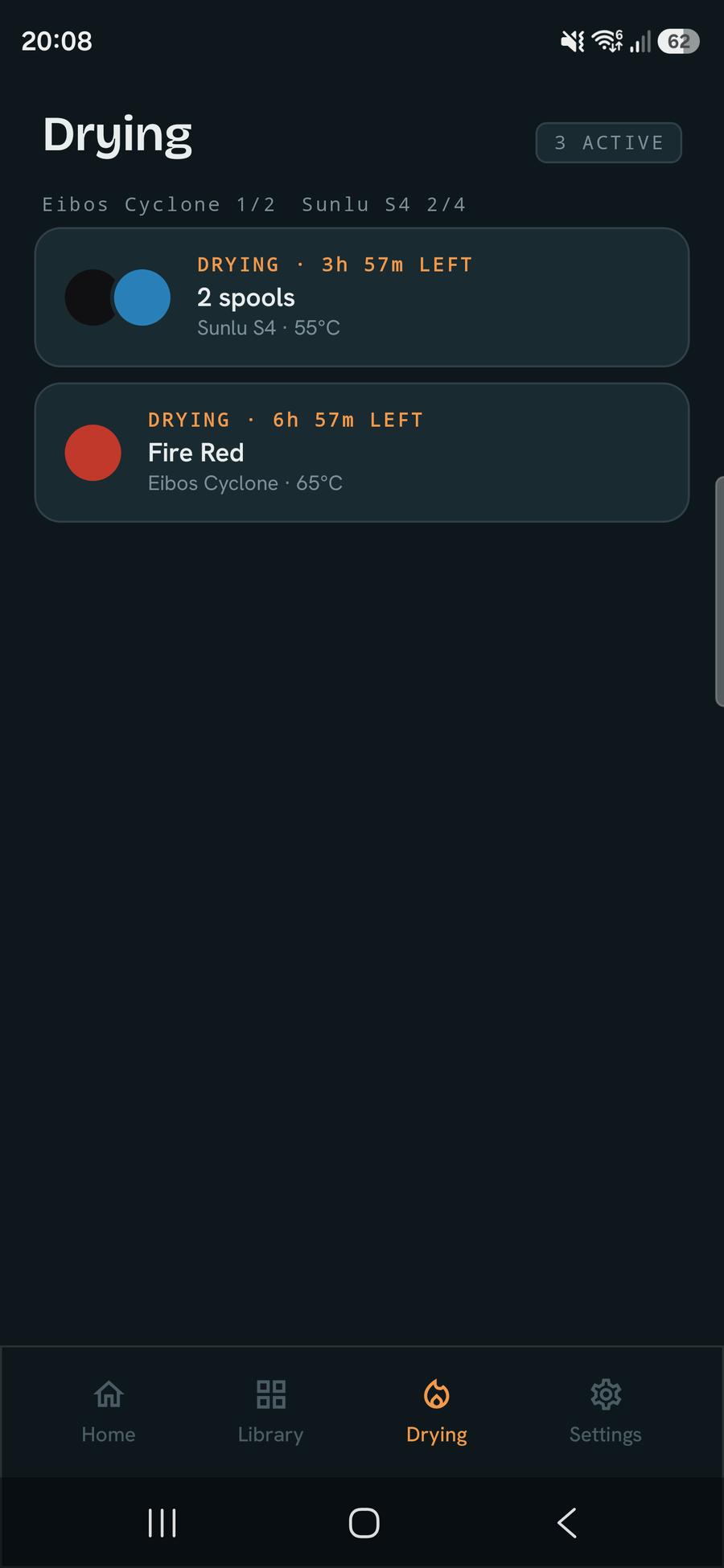
Drying tab listing every active session with its dryer, temperature and time remaining
All active dries
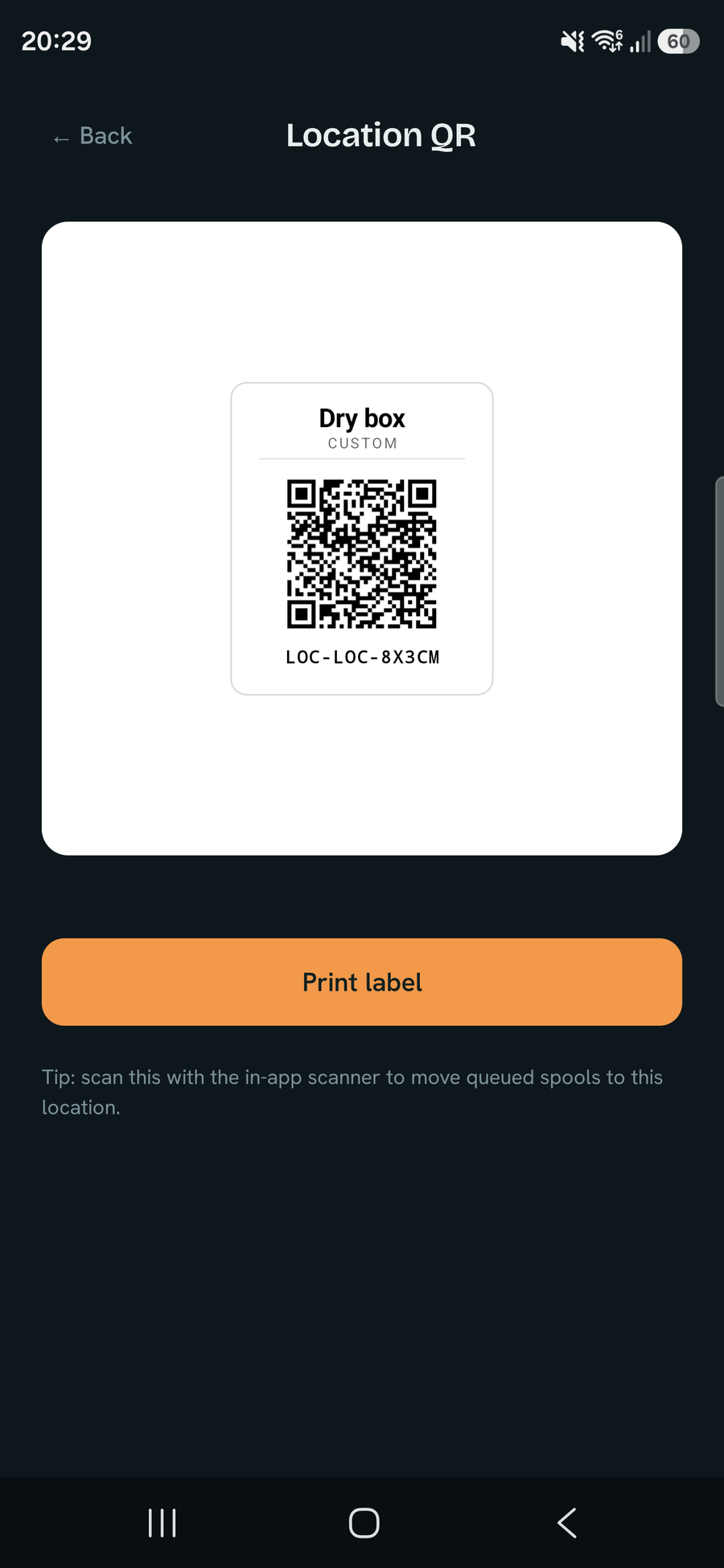
A printable QR label for a storage location, with its name and code
Location QR labels
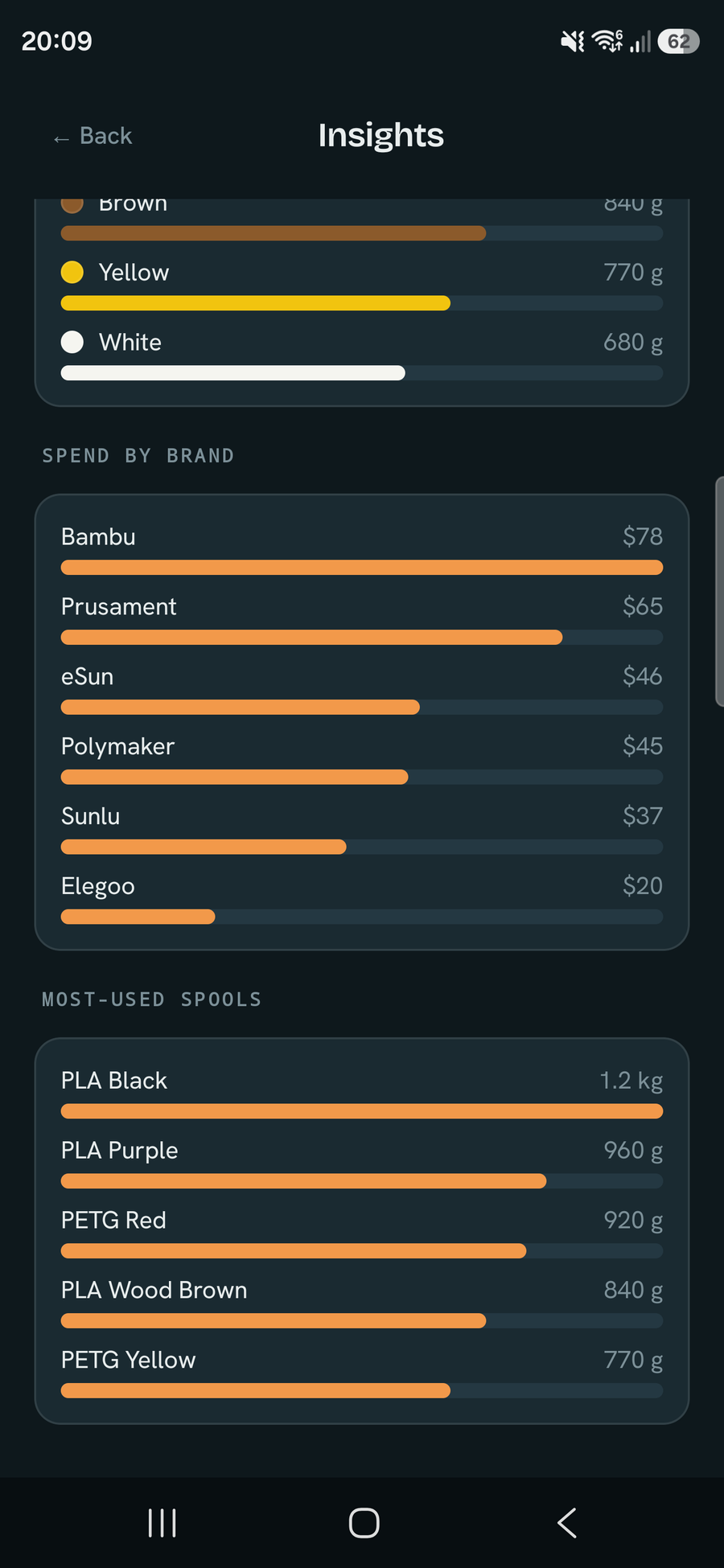
Insights continued: spend by brand and the most-used spools, largest first
Spend by brand & most-used
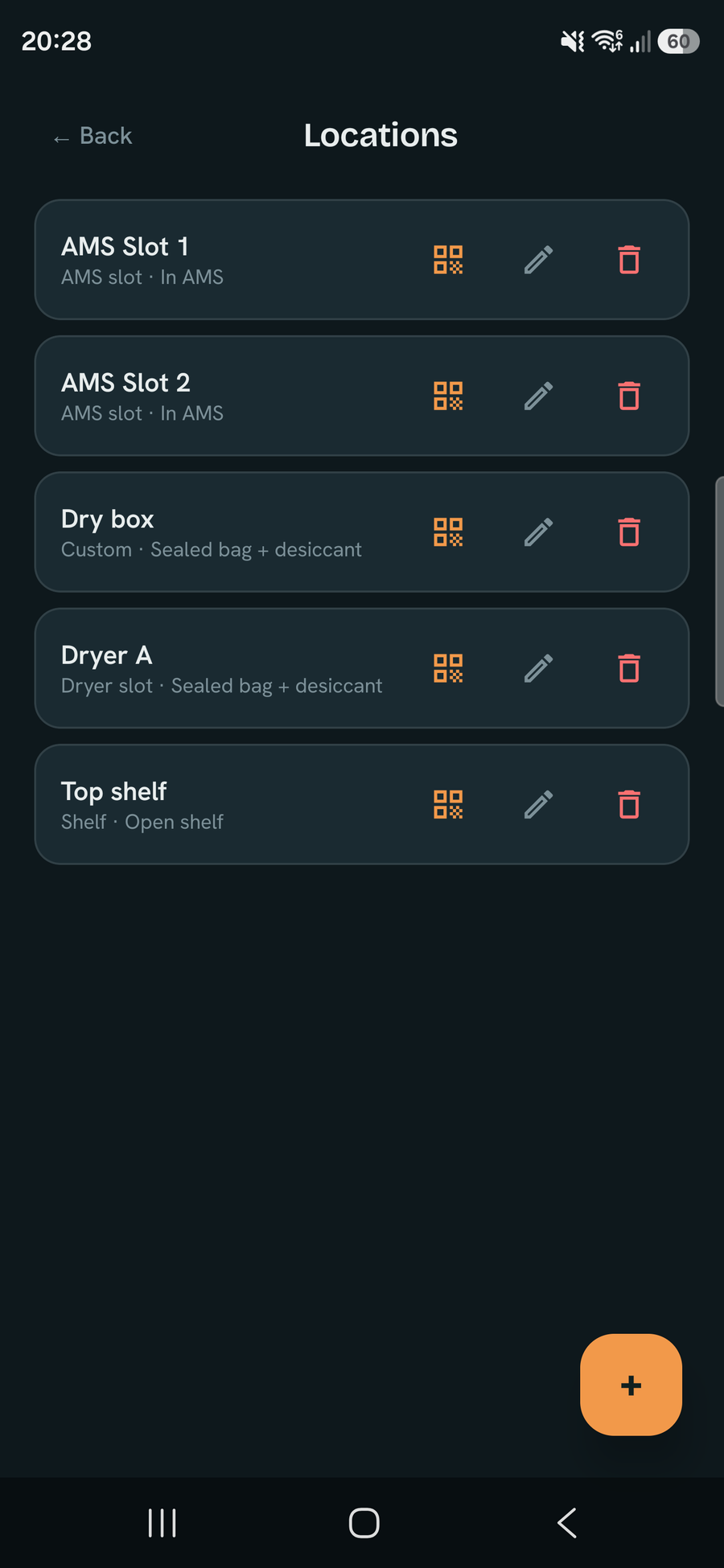
Manage locations: AMS slots, dry box, dryer and shelf, each with a QR-print, edit and delete action
Manage AMS, dryers & shelves

On tablets & Chromebooks

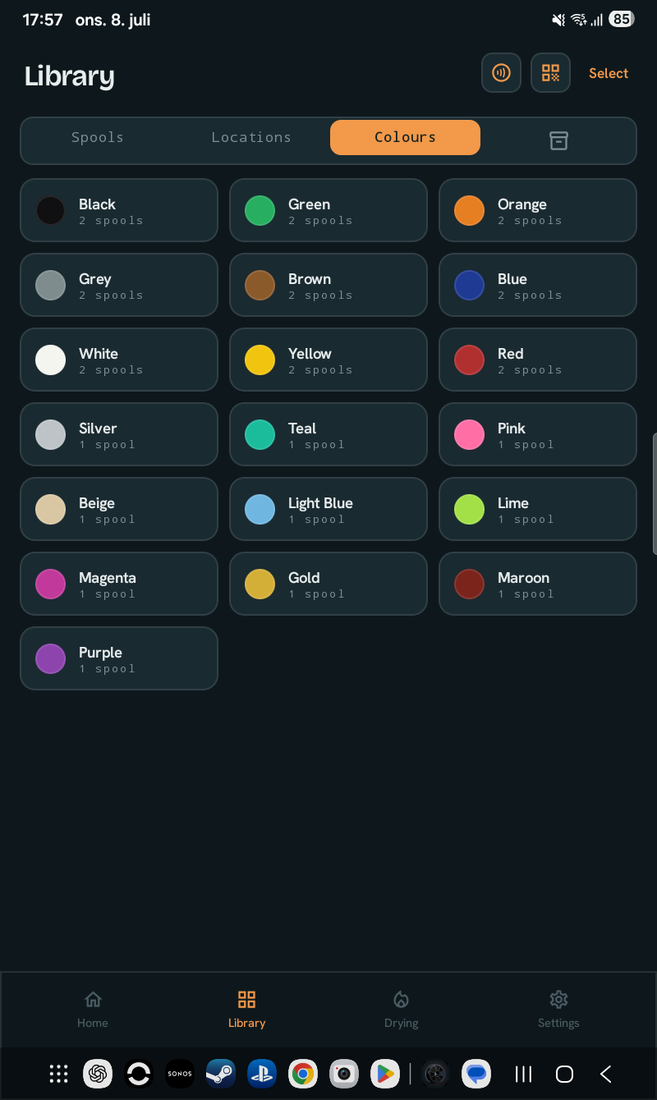
DrySpool adapts to the bigger screen — a multi-column library, side-by-side layouts, and a readable centred column in landscape instead of stretched rows.
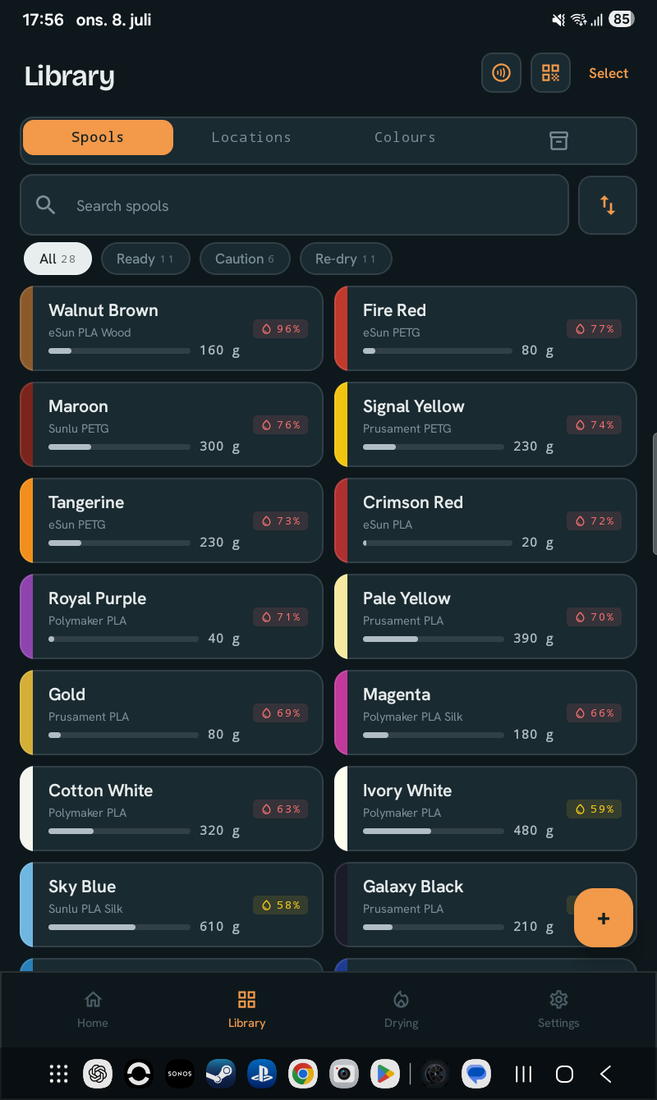
DrySpool on a tablet: the filament library as a multi-column grid
Multi-column library
Browse by colour on a tablet, three colour-family tiles per row
Browse by colour
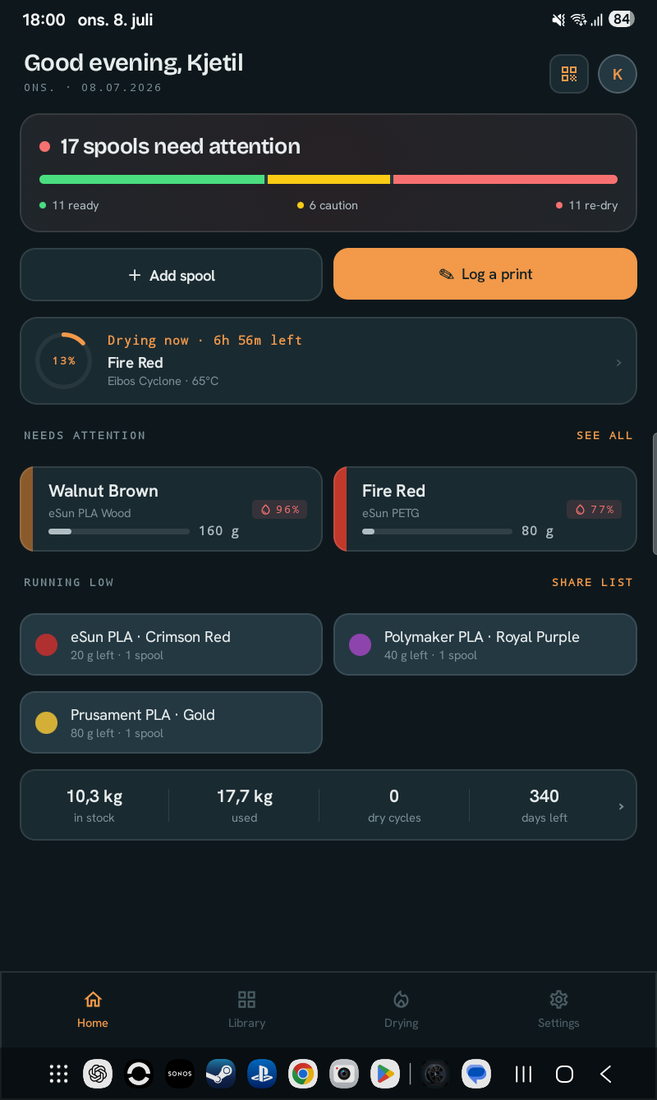
Home dashboard on a tablet with attention and running-low lists side by side
Side-by-side home
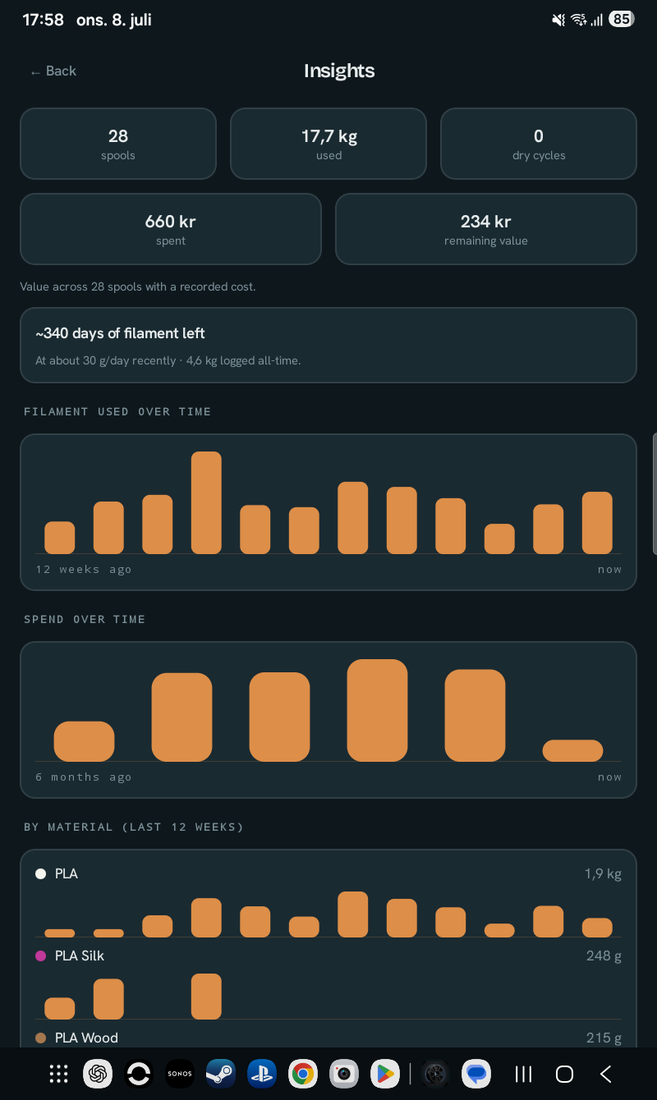
Insights on a tablet: full-size usage, spend and by-material charts
Full-size Insights
Spool detail on a tablet with moisture ring, stat tiles and projected curve
Spool detail
Drying tab on a tablet listing active sessions
Active drying
DrySpool in landscape on a tablet: the library as a three-column grid
Landscape — even more per row

Free to start. Pro when you grow.

Free

Free — the whole app

  • Up to 12 spools (a full AMS + spares)
  • Moisture model & drying sessions
  • QR labels (any size) & batch scanning
  • Bambu RFID tap-to-fill
  • Slicer import & backups
  • Three home-screen widgets (incl. usage forecast), tags & custom fields
  • Low-stock “running low” on Home & a photo per spool
  • Auto-archive empty spools (kept, untracked, don’t count to the limit)
One-time unlock

Pro

Pay once — no subscription, no ads

  • Unlimited spools
  • Bulk RFID — tap Bambu spool after spool to add a batch
  • Smart re-dry reminders, so you never print wet
  • Low-stock reminders — a daily nudge plus a reorder list to share
  • Photo gallery — several photos per spool, in-app camera & save to your gallery
  • Custom label templates — custom text, fields, font, accent & background colour
  • Premium accent colours & alternate app icons
  • Automatic backups to a folder you choose
  • Insights — filament used & spend over time, by material, plus inventory value
  • Cost & inventory-value tracking, in your currency
  • Export your whole library to CSV

Yours, and private

Everything stays on your device. No accounts, no servers, no analytics, no advertising — DrySpool never collects, transmits, or sells anything about you or your spools. Read the full privacy policy.

Stop guessing whether your filament is dry

Built by a one-person studio. Free to try — install it and see.

Get DrySpool on Google Play

Questions? Read the Help & FAQ. Press & creators — see the press kit.